
How to use new SRJC Website
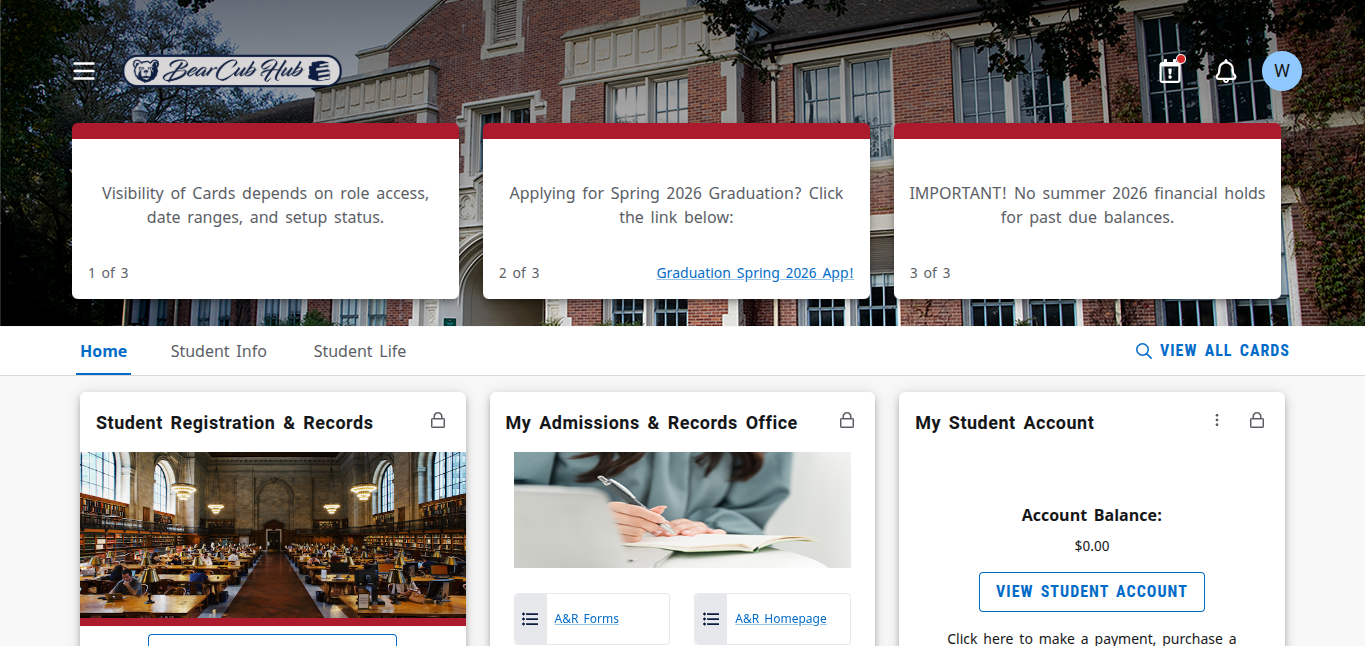
The new SRJC website (William Winkelman / The Puma Prensa)
By William Winkelman, Website Editor
The Santa Rosa Junior College recently changed their website, student ID’s, and overall made their website more confusing. If you are looking to sign up for classes here is how:
Visit the counseling office or Ms. Handel and fill out the dual enrollment form to apply for SRJC classes in the first place
Look up the Santa Rosa Junior College website at https://sis.santarosa.edu/
From there access the BearCubs hub at the link they provide or go to this link https://experience.elluciancloud.com/sjc155/
Make an Bearcubs account, or if you had a preexisting one go to your email to find your new Id/login info
Locate the “Student Info” tab, the on it “My Admissions & Records Office”, from there go to the option that says “Apply”
Once there go to “High School and Home School Students”
Scroll down to “Get Started Today” and press on it
It will then teach you how to apply for dual enrollment for the SRJC as a high school student if you have not before (https://dualenrollment.santarosa.edu/steps)
In step 6 of the instructions is a button that says “SRJC Student Portal” at that link
Once there you have accessed the old website to find classes for later dates
Go to “Admission and Register” and then “Add/Drop/Register”
From there pick the term you are planning on taking these classes in
From there it will let you pick a small option for “Schedule of Classes”
Pick the term you are looking in for classes through the options, twice
Once done, you have entered the list of classes
From there, look up the subject you are looking for
When looking up the specific class, go to advanced search and type in the name of the course in the keywords such as “Calculus”, and then all the classes will list.
This list is terrible compared to the new one.
This semester, the SRJC changed their website completely, causing lots of chaos for dual enrollment students. Hopefully this guide will help in getting set up for dual enrollment summer/fall, if not reach out to Ms. Handle while we still have her as a counselor.